India Ticket (Deposit USD)
Setup
- India ticket come from whatsapp as an incoming message on specific chat.
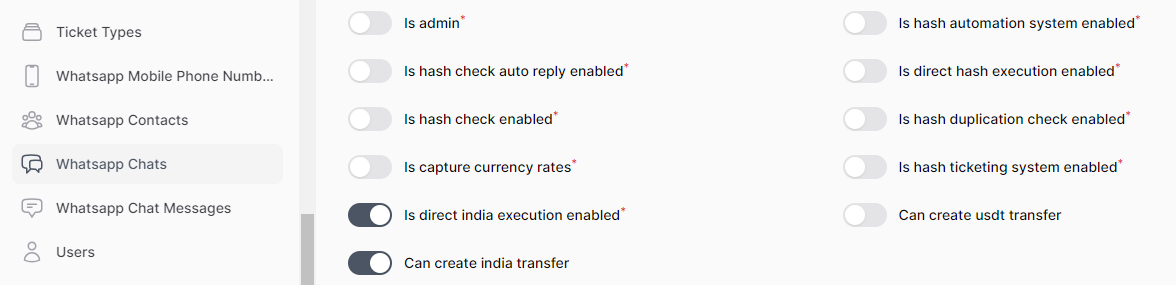
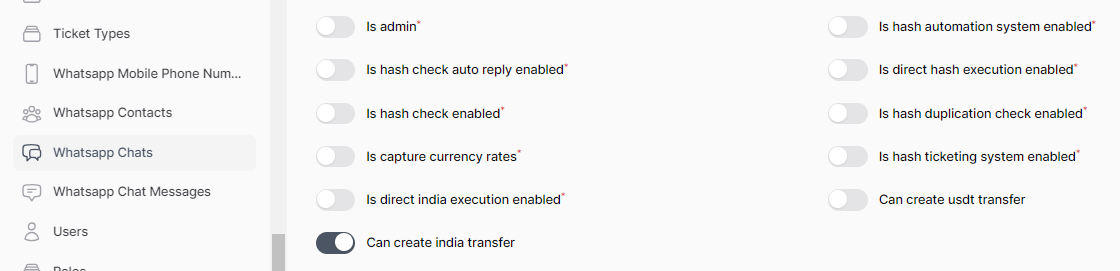
- To enable creation of india tickets in sepcific chat, just enable
can create india transferoption in chat settings.
Creation
- Come from whatsapp as an incoming message.
- The incomming message considered as
india_ticketif it's containing the highlighted line.
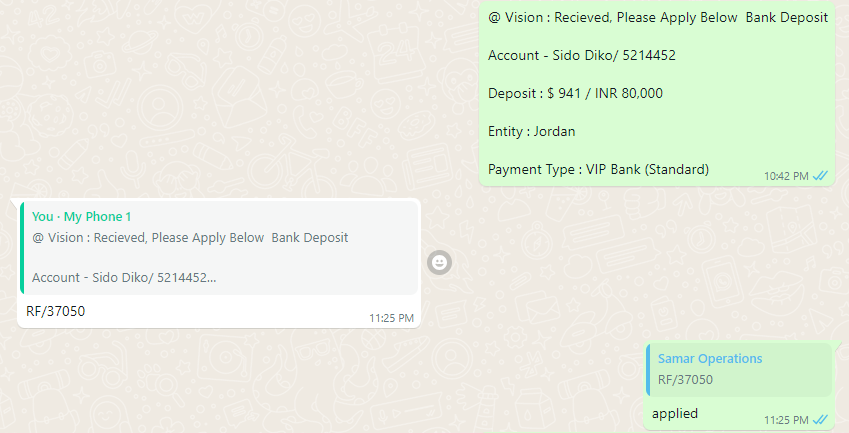
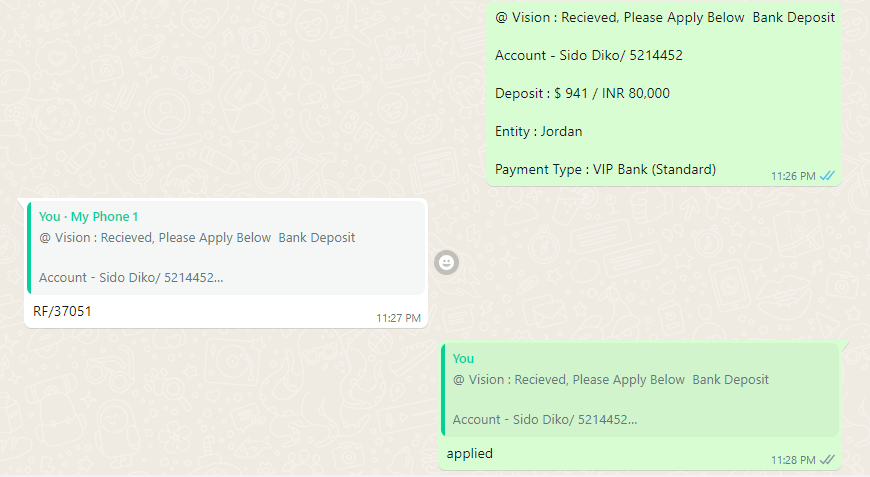
@ Vision : Recieved, Please Apply Below  Bank Deposit

Account - Sido Diko/ 5214452

Deposit : $ 941 / INR 80,000

Entity : Jordan

Payment Type : VIP Bank (Standard)
-
It contains those information:
- Name: Sido Diko
- Account Number: 5214452
- Amount: 941
- Local Currency Amount: 80,000
- Entity: jordan
- Payment Type: vip
Validation
This message subject to couple of checks:
- Missed value check: Fails if one of those attributes missed (entity, account number, name, amount, local currency amount, payment type).
- Duplication check: Fails if one of those attributes duplicated (entity, account number, name, amount, local currency amount, payment type).
- Invalid entity check: Fails if the entity value not one of the
operating unit shortcuts.
Process
Approve
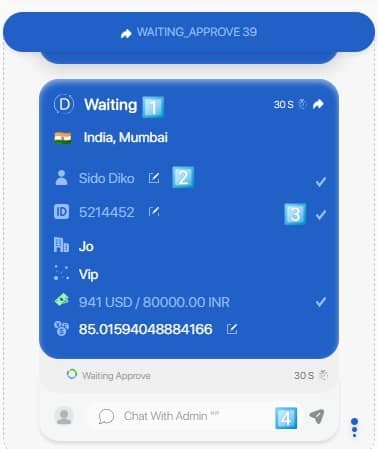
After pass all checks, the ticket will be routed to specific employees to process it based on routing system.
 {: style="width:300px"}
Four things to mention here:
- The ticket has not RF yet.
- Fields like (name, account number, rate) can be edited.
- Confirm the field value at the end.
- After confirm all editable fields a new button will appear say "Approve & Send", click it to approve the ticket.
When approve the ticket, the approve handler specified for this type of tickets (india_ticket) will run.
Approve handler of india_ticket contain these steps:
- Send ticket to odoo and get an RF.
- Reply on the original hash message with the RF.
- Redirect it to custom chats with custom template based on routing system.
Apply
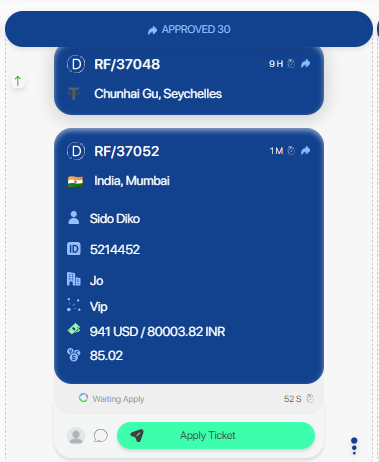
The ticket can be applied from the ticketing page by the employee.
 {: style="width:300px"}
Or by reply on the RF message with the word applied
 {: style="width:400px"}
Or by reply on the original message with the word applied
 {: style="width:400px"}
Direct Execution
- You can setup specific chat to execute india tickets directly (auto approve & apply) by enable
is direct india execution enabledoption in chat settings.